
You will probably be aware that we have been working towards the removal of the box cloud storage system for some time. A significant inroad has already been made towards the reduction of box content by targeting high volume users. We now therefore have a remaining total of 20TB in box as opposed to the […]

Introducing Ally at Stirling
You may have noticed a new symbol appearing in your Canvas modules. This letter A with a download symbol is for Alternative Formats. You can use this to view/use the content in Canvas in different ways, depending on your needs. When you click on the A, you are given a list of different options, including […]

Accessibility Features in Office 365
Designed to meet the needs of people with different abilities, the features within Office 365 ensure everyone can create, communicate, and collaborate on any device. Read on to find out more about the built-in accessibility tools and features included in our subscription to Office 365. Immersive Reader A reading enhancement tool, Immersive Reader, will speak text in a choice of voices […]
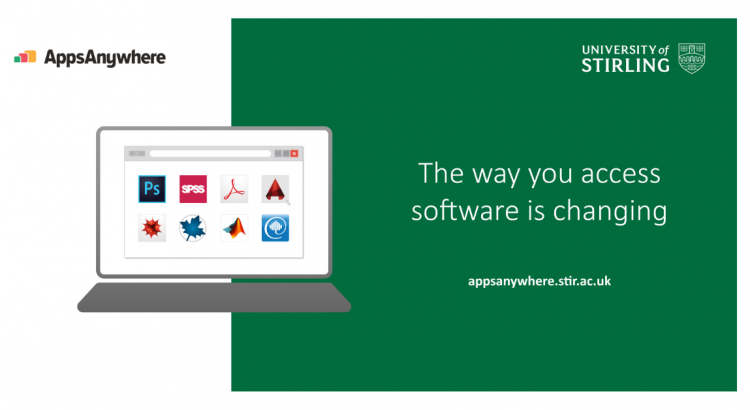
APPSANYWHERE, YOUR UNI APP STORE
Access University software anywhere! Just like you use Netflix to stream your favourite shows, you can now use AppsAnywhere to stream the software you need. Apps anywhere is an external platform provider which we are adopting, to host your University software and apps in one place. A huge benefit to AppsAnywhere is that you will now be able to access almost […]

How to handle research data
Researchers often collect highly confidential information for their research. It is essential this data is stored securely and is collected following data protection legislation. Failure to collect data ethically can damage the reputation of the researcher and the University. The General Data Protection Regulation (GDPR) You may be a little fed up of hearing about […]

The importance of physical security
Information security isn’t just about electronic data; it’s also about physical risks too. Research shows that human error is the leading cause of security failures in organisations. Imagine a thief managed to access your office, how much confidential information could they get a hold of in just a few minutes? What is physical information security? […]

What your password says about you
Take the quiz and find out what your password says about you! Answer yes or no to the following: 1 pt: Your password does not contain your name or the names of family, partners or pets. 1 pt: You haven’t included information which may be on your social media, such as birthdates, anniversaries, where you […]

Stirling part of Frontiers UK Framework: 10% discount for Open Access publishing
University of Stirling is now part of the Frontiers UK Framework that runs until 30th September 2022. The framework gives a 10% discount on Article Processing Charges (APCs) for publishing Open Access with Frontiers and is free at point of acceptance for authors. Other benefits include a simplified purchasing process and maximum APC costs that […]

UniDesk Moves to the TopDesk Cloud
Our UniDesk system is moving to the TopDesk cloud. This work not only moves us to the TopDesk cloud but includes an upgrade from the current version 7.04 to 10.02.005. The upgrade is scheduled for the evening of Monday 2nd November from 5pm. The service should be considered at risk all day Tuesday 3rd November, […]

Stirling joins SAGE agreement: free Open Access publishing in hybrid journals
University of Stirling has joined the SAGE journals transformative agreement. This means Stirling authors can publish an unlimited number of open access articles for free in SAGE’s full portfolio of hybrid journals. (Costs have already been covered by the subscription fee paid by the library). In addition, authors publishing in any of SAGE’s fully open […]