
Are you confused about the difference between files in MS Teams and SharePoint? Wondering what OneDrive is all about? View this short (20 min) video to give you a background to how the main 3 Office 365 apps involved in file management (MS Teams, SharePoint and OneDrive) interact with each other. You can get further […]
Category: O365

Scan to OneDrive is here!
Information Services is enabling Scan to OneDrive, which allows you to scan documents and upload them to your OneDrive cloud storage in Office 365, on Wednesday 2nd September. Once this feature is enabled, you will need to go through a quick setup process after scanning your first document on a printer/MFD. Please see guidance on […]

How to counter phishing, vishing, smishing, and whaling
Phishing Recently, several sophisticated phishing attacks mimicking popular online services such as Office 365 have surfaced. In a recent publication by Cofense, threat actors were found to be luring employees to accept new Terms of Use and Privacy Policies to steal Office 365 login credentials. The malicious actors went to great efforts to spoof the […]
Scan to OneDrive is coming
We will soon be implementing a new feature on all University printers (also called Multi-Functional Devices or ‘MFDs’) which will allow you to scan documents and upload them directly to your OneDrive storage in the Office 365 cloud. The documents will be easily accessible from a folder in OneDrive which can be viewed online or automatically […]

Introducing Safe Links
protecting you from malicious links in email In summary Safe Links is a Microsoft security feature that checks every link you click in an email for malicious content and blocks access if content is suspicious It changes the URL of the link briefly to direct it through the checking servers. Links are prefixed with https://eur03.safelinks.protection.outlook.com/ […]
Get Help and Support for Office 365
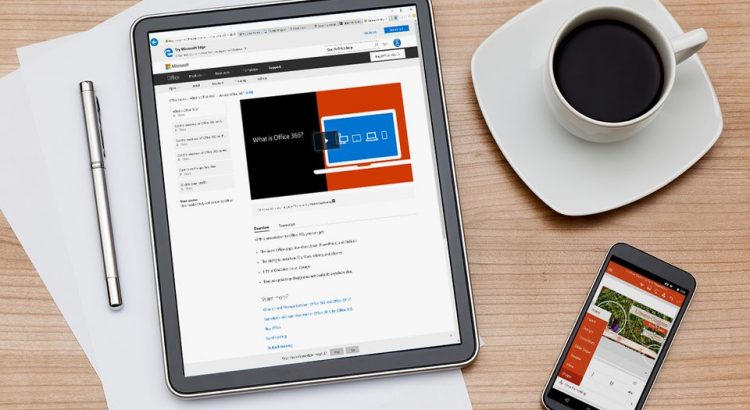
There is a massive host of information out there to help you get the hang of Office 365. Here are a few of our favourites. Microsoft Educator Center (MEC) Clock up some Microsoft points and badges by taking courses in various Microsoft technologies. The Microsoft Educator Center provides on-demand courses that focus on using technology in your teaching […]

Teams takes off!
Not surprisingly with the rapid move to remote working we’ve all experienced over the last 3 weeks, there has been a massive uptake of Teams across the university. The graph below shows the take off of Teams. The first peak is in the last week we were on site as people were preparing for working […]
Setting up an open Teams meeting/event
As well as having the ability to set up and run online meetings, Teams can be used for online events without a pre-determined guest list. Uses for this could include a virtual cafe event, a drop in training session that you want to advertise to students and so on. The good news is that this is […]

Staff overview sessions: Introduction to Office 365
IS announced recently that we are withdrawing our cloud storage from Box and moving to the Office 365 product suite. To help staff understand how we plan to achieve this, we are running a number of lunchtime info sessions. Feel free to bring your sarnies along and snack while we speak 🙂 This will also […]
Calling all Staff – Become an Office 365 Champion
As an Office 365 Champion, help others to discover the benefits of greater collaborative working and encourage them to Collaborate. Share. Achieve. There are many benefits to sharing your knowledge of Teams, OneDrive and SharePoint. When you become an Office 365 champion you help others discover the power of working in collaboration. Maybe you’ve collaborated successfully […]