
Using AI tools such as ChatGPT, Claude, Gemini and Copilot to explore a research topic? LibKey Nomad can help you find full-text articles directly from these tools, making it easier to access research through the University Library.
How does it work?
LibKey Nomad now integrates automatically with Claude, ChatGPT, Gemini and Copilot across supported browsers. (Microsoft Edge is the exception: it does not allow extensions to enhance Copilot).
When an AI tool cites a research article and a visible DOI (Digital Object Identifier) is present, LibKey buttons may appear alongside the reference. Depending on availability, these can include Download PDF or Access Options buttons , helping you access the full text through the Library.
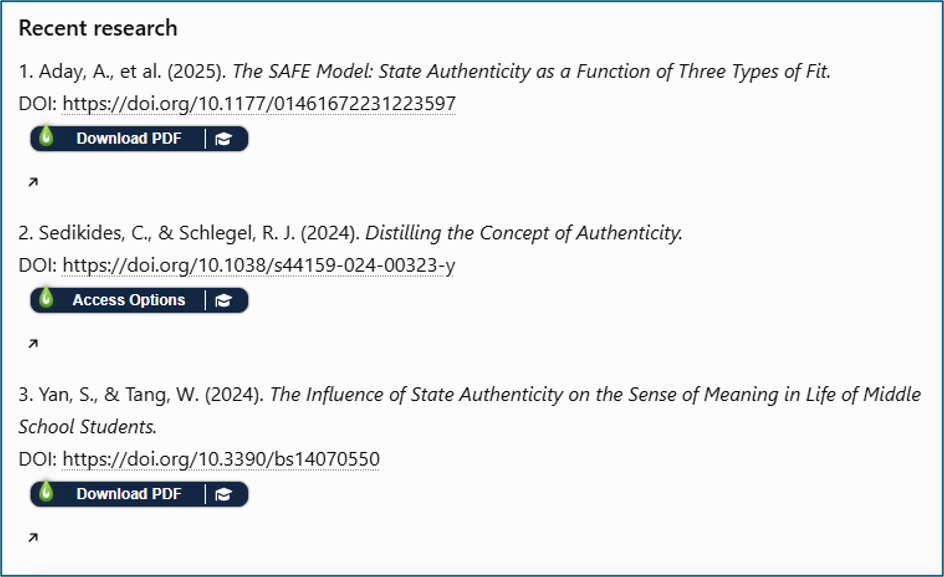
Tip: If you don’t see a LibKey button, try asking the AI tool to “display the DOI for each reference”.
A note about using AI in your studies
AI tools can be useful for discovering research, but AI-generated references should always be checked. Confirm that each article exists, verify its DOI and publication details, and read the original paper before relying on its findings or citing it in your work. AI tools can generate inaccurate or entirely fabricated references.
Remember, using AI to explore research is not the same as permission to use AI in an assessment. The University’s AI Assessment Scale (AIAS) sets out what is permitted for each assessment, from “No AI” to “Full AI” and “AI Exploration”. Your permitted use depends on the level assigned to your specific assessment, and your submitted work must demonstrate your own skills and subject knowledge.
Before using AI for coursework, read the University’s current position on use of AI in learning, teaching and assessment at: https://canvas.stir.ac.uk/courses/20756.
Get started
- Install LibKey Nomad for your browser and look out for full-text access buttons when exploring research with your preferred AI tool.
- When permissible, use AI tools to help you learn about relevant literature, LibKey Nomad to help you access it and your own critical thinking to evaluate the evidence.
Clare Allan
Digital & Systems Librarian