
We’ve added a new tile to the University of Stirling app to help you check into your teaching spaces quickly and easily. In the app, tap the new gold ‘Teaching Room Check-in’ tile, enter the room code (which is displayed on a poster in the room), and tap Submit. Every time you enter a teaching […]
Author: kirsteen

Need to borrow a device for study?
The University Library has a number of laptop loan options available to students Short term laptop loans (4 hours) – for use in the Library or elsewhere on campus The laptop loans machines are located on level 2 of the library, one near the library entrance, and the other is located on the wall backing […]

Welcome to Library and IT at Stirling
Information Services invites you to join us for some fantastic events to help you hit the ground running when it comes to the Library and IT at the University of Stirling. What’s on… Essential Student Guide to Library and IT Services Learn all about the Library and IT services at Stirling including how to install […]
Welcome to Library and IT at Stirling
Information Services invites you to join us for some fantastic events to help you hit the ground running when it comes to the Library and IT at the University of Stirling. What’s on… Essential Student Guide to Library and IT Services Learn all about the Library and IT services at Stirling including how to install […]

Buying a new device for your university studies
Are you considering getting a new device for your university study? See our recommended specifications below. Windows PC/laptop Operating SystemRECOMMENDEDWindows 10 Home or Pro Processor TypeMINIMUMCore i5 ProcessorRECOMMENDEDCore i7 Processor MemoryMINIMUM8 GB RAM or higher Hard DriveMINIMUM250 GBRECOMMENDED500 GB or higher Graphics CardMINIMUM512 MB Video Memory or higher Apple Macintosh Operating SystemMac OS 10.15 or […]

Microsoft Mastered
Thank you for joining us for our month-long Microsoft skills event for staff – Mastering Microsoft in August. Watch one of our training sessions Thank you for attending and asking some brilliant questions at our training sessions. We will use your questions to add to our bank of FAQs which you can find in the Microsoft […]
Library back to full capacity
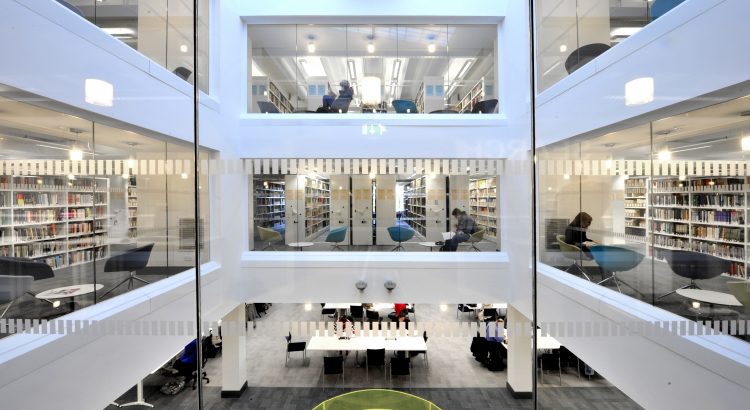
Following the easing of COVID restrictions, the University Library has reopened at full capacity, with levels 2 and 3 open to students without the requirement to book a space. Laptops (on 4 hour loans) and PCs are available for students who wish to join an online class in the library and study zone, but those […]

Mastering Microsoft in August
Mastering Microsoft is back!!! Are you a member of staff looking to expand your skillset? Join Information Services for our month-long Microsoft 365 skills event during August 2021. Sign up for one of our training sessions SIGN UP for one (or all) of our training sessions, including working with documents in OneDrive and SharePoint, an introduction to Teams, Teams meetings, and scheduling. For more information and to book […]

Learning and Teaching Support and Development for Autumn 2021
Information Services are offering a bookable series of online and face-to-face events to support developments in learning and teaching in Autumn 2021. NEW!! Book a support assistant for the start of your class! IS have a number of IT Assistants aka Wizards available to help you get your class kicked off. If you feel it would […]

Teams fix for University managed devices
We know you have been having trouble with Teams, some staff have been required to re-install Teams every day to ensure they have the latest version. We now have a fix! From Friday 25 June at 5pm we will begin to implement this fix, and this will start to roll out across all University managed […]